

Available to buy here:
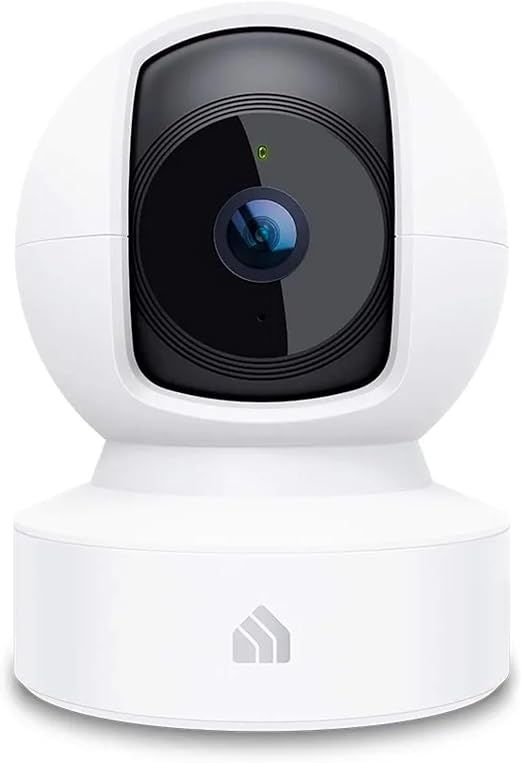
Welcome to “Reviews inside tv”! Today, we have an interesting product that blends convenience with security: the Kasa Indoor Pan/Tilt Smart Security Camera, also known as the EC70. Whether you’re looking to monitor your pets, keep an eye on your baby, or simply enhance your home security, this camera offers a range of features that might just make it the perfect addition to your smart home setup. So let’s break down what this camera brings to the table, from setup to performance, and everything in between.
The Kasa EC70 is designed to provide a sharp and clear 1080p Full HD video stream, offering high-quality footage for all your monitoring needs. Whether you’re checking in on your pets while you’re out, or simply securing a room in your home, this camera ensures a crisp, reliable image. It operates over a 2.4GHz Wi-Fi band and connects seamlessly with the Kasa or Tapo app, making it super easy to control from your smartphone. The camera’s pan and tilt capabilities are particularly noteworthy. With the ability to move around 360 degrees horizontally and 96 degrees vertically, it allows you to cover a larger area, ensuring you never miss a thing. But that’s not all—it’s equipped with real-time motion and sound detection, alerting you whenever it senses something amiss, even in the middle of the night. This is thanks to its impressive 30-foot night vision range, making sure your home stays under surveillance 24/7.
For storage, the EC70 offers flexibility with both local and cloud options. You can store your footage on a MicroSD card up to 256GB, meaning you can record up to 30 days of video history without worrying about running out of space. However, for users who prefer cloud storage, the camera supports the AWS Cloud as well, with more advanced features available if you subscribe to the Kasa Care Plan. This means you have peace of mind knowing your footage is secure and accessible whenever you need it.
During my testing, setting up the Kasa EC70 was a breeze. The Kasa app walks you through the installation process with minimal effort. It didn’t take more than a few minutes to get the camera connected to my Wi-Fi network, and once it was live, the video quality was immediately impressive. Watching the footage on the phone app showed clear details, even in lower-light conditions. The pan and tilt function worked smoothly, and I was able to adjust the camera’s view without any noticeable lag. The real-time motion detection proved reliable as well, sending instant notifications whenever movement was detected in the room. I tested this by walking around in the camera’s field of view, and sure enough, within seconds, I received a push notification.
One of the features that stood out was its ability to work with other Kasa devices through Smart Actions. For instance, I set up the camera to trigger my Kasa lights to turn on whenever motion was detected. This added a layer of automation, making the system feel more integrated with the rest of my smart home setup. If you’re already using other Kasa products, this feature can be a game-changer.
Now, let’s talk about the pros and cons. On the positive side, the 1080p video quality is clear and detailed, even at night, and the pan/tilt capabilities give you flexibility when positioning the camera. The motion and sound detection feature is quick to respond, and I found it extremely useful for keeping tabs on the kids or pets. The local storage option with a MicroSD card also adds a layer of convenience. Plus, it integrates nicely with Alexa and Google Home, so you can control it with voice commands, which is a major plus for those who prefer a hands-free experience.
On the flip side, while the camera offers many useful features, there are a few things to consider. The biggest drawback for some might be that it only connects to a 2.4GHz Wi-Fi band, which can sometimes result in slower speeds or connection issues if you’re in an area with a lot of network interference. Additionally, the camera’s audio quality, while decent, isn’t the best for two-way communication. It’s functional for listening in, but you might not get the clarity you’d expect if you’re trying to have a conversation through it. Lastly, while the cloud storage option is nice, the subscription cost for the Kasa Care Plan might be a turnoff for users looking for a more cost-effective solution.
When considering value for money, the Kasa EC70 holds its ground. At its price point, it offers a strong feature set—especially with its video quality, ease of setup, and smart home integration. If you compare it to similar products in the market, like the Wyze Cam Pan or the Eufy Indoor Cam, the Kasa EC70 offers comparable performance with a few extra perks, like the ability to store video locally on an SD card, which is a huge plus. However, if you’re on a tighter budget, those alternatives might be slightly cheaper. That said, if you’re willing to invest in the Kasa Care Plan for cloud storage, you’ll get even more out of the camera’s features.
Now, let’s quickly compare the Kasa EC70 with a couple of other well-known options. The Wyze Cam Pan is another popular choice in this category, and while it offers 1080p video quality and similar pan/tilt capabilities, it lacks the local storage option and doesn’t integrate with as many smart home devices as the Kasa camera does. The Eufy Indoor Cam offers great value as well, but it doesn’t have the same range for motion detection, and its pan/tilt function isn’t as versatile. If you’re looking for a product that combines strong local storage, video quality, and smart home integration, the Kasa EC70 is a solid contender.
In terms of build quality, the Kasa EC70 feels sturdy and well-constructed. It’s made of a durable plastic casing that should hold up well over time. Although long-term durability isn’t always easy to predict for newer products like this, the general trend with Kasa products suggests that this camera should last without significant issues. The brand itself has a good reputation for producing reliable smart home gadgets, so I’m confident that with regular use, the EC70 will maintain its performance.
As for customer support, I haven’t had to reach out directly to Kasa, but based on the brand’s reputation, it’s safe to say they offer solid customer service. Their website offers a helpful FAQ section, and there’s a responsive customer service team if you run into any issues. The integration with Alexa and Google Home also means there’s extensive community support for troubleshooting.
To wrap things up, the Kasa Indoor Pan/Tilt Smart Security Camera (EC70) is an impressive piece of tech. It combines high-definition video quality, real-time motion and sound detection, flexible storage options, and solid integration with smart home systems. It’s an ideal choice for anyone looking for a security camera that’s easy to use and set up, especially for monitoring pets or babies. While there are some minor drawbacks, like the reliance on 2.4GHz Wi-Fi and the cost of the Kasa Care Plan, these issues are relatively easy to overlook considering the camera’s overall performance and value for money. If you’re already invested in the Kasa ecosystem or looking for a camera that can do it all, the EC70 is definitely worth considering.
Thanks for watching today’s review! If you’re interested in getting the Kasa EC70, be sure to check out the link in the comments box below. If you already own this camera, drop your thoughts or questions in the comments—I’d love to hear about your experience! Until next time, stay secure, and don’t forget to hit that subscribe button so you don’t miss out on any of our upcoming reviews. Catch you later on “Reviews inside tv”!
Available to buy here:


