

Available to buy here:
Welcome back to “Reviews inside tv”! Today, we’re taking a look at a product that’s aiming to bring high-speed internet access into your home at a more affordable price. If you’ve ever felt like your Wi-Fi is just a bit too slow or spots in your house where your signal drops out, today’s review might be exactly what you need to hear. Let’s explore the Amazon eero 6+ mesh Wi-Fi router, a system designed to boost your network performance, expand coverage, and keep all your devices connected seamlessly.
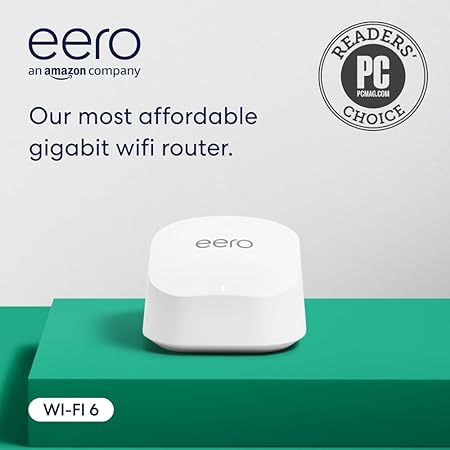
The eero 6+ is an affordable mesh Wi-Fi system that promises gigabit-speed internet without the premium price tag that usually comes with such speeds. Supporting internet plans up to one gigabit per second, this router makes it possible for multiple users to stream, work, and even video chat simultaneously without bogging down your network. But what sets the eero 6+ apart from other Wi-Fi routers on the market? Let’s break it down.
The first thing to note is the eero 6+’s Wi-Fi 6 support. Wi-Fi 6, or 802.11ax, is the latest wireless standard, and it comes with a number of improvements over its predecessor, including higher speeds, better performance in congested areas, and greater efficiency for multiple devices. With the eero 6+, you’re not just getting standard Wi-Fi—you’re getting Wi-Fi 6, and with that comes a significant bandwidth boost, thanks to support for the 160 MHz radio channel. What does that mean for you? Faster connectivity, especially when you have multiple devices connected at once, which is something most of us have to deal with nowadays.
One standout feature is eero’s patented TrueMesh technology. This is the part where the eero 6+ claims to set itself apart from other mesh Wi-Fi systems. TrueMesh intelligently routes your Wi-Fi traffic, reducing dead spots and minimizing drop-offs by adjusting how data flows through the network. So, even if you have a larger home or a spotty Wi-Fi history, the eero 6+ is designed to ensure a smoother experience. No more running to the other side of the house just to get a strong signal. It makes a huge difference in terms of reliability.
Setting up the eero 6+ is designed to be a breeze. With the eero app, installation can be done in minutes. You simply follow the on-screen instructions, and the system is up and running in no time. Once connected, the app also gives you full control over your network, allowing you to monitor performance, block devices, and more. Plus, the app lets you manage your Wi-Fi remotely, meaning you can adjust settings even when you’re not at home.
Now, let’s talk about real-world testing. I set up the eero 6+ in my own home, and I have to say, the experience was pretty straightforward. The setup took under ten minutes, and once it was up and running, I noticed a significant improvement in both speed and coverage compared to my old router. My internet speeds jumped up to the gigabit range, and I was able to stream 4K videos on multiple devices without any buffering. Even with over 10 devices connected at once, including smart home gadgets, laptops, and phones, I didn’t notice any drop in performance.
Of course, no product is perfect. One thing to keep in mind is that the eero 6+ doesn’t support as many advanced features as some higher-end mesh systems, especially when it comes to customization. For example, if you’re someone who likes to manually tweak every aspect of your network’s settings, you might find the eero 6+ a little too hands-off. However, this is not necessarily a dealbreaker for the average user who just wants a reliable, easy-to-use Wi-Fi system. Another point to consider is that, while the eero 6+ can cover up to 1,500 square feet with its one-pack system, if you have a very large home, you may need to purchase additional eero units to ensure full coverage.
Speaking of coverage, the eero 6+ excels in that department. Whether you’re connecting in a small apartment or a house with multiple rooms, it’s designed to maintain a strong and consistent connection. In larger homes, you can easily expand your network by adding more eero units, and the system seamlessly integrates them to create a unified network. There’s no need to worry about managing multiple Wi-Fi networks or constantly switching between them. The eero 6+ does the work for you, ensuring a smooth experience throughout your home.
The value for money is another area where the eero 6+ stands out. For the price, you’re getting a solid mesh Wi-Fi system that delivers gigabit-speed internet and includes all the essential features you need to improve your home network. Compared to other mesh systems at a similar price, the eero 6+ provides competitive performance without breaking the bank. You might find other mesh systems with more advanced features, but they also come with a much higher price tag. So, if you’re looking for a reliable, cost-effective option that still delivers on speed and coverage, the eero 6+ hits the mark.
When comparing the eero 6+ to other mesh routers, the TP-Link Deco X20 and the Google Nest Wi-Fi come to mind. The Deco X20, for instance, offers similar speeds and coverage, but it’s slightly more customizable in terms of settings. However, the eero 6+ wins out in terms of its TrueMesh technology, which makes a noticeable difference in connection stability and performance, especially if you have a lot of devices. On the other hand, the Google Nest Wi-Fi offers a more comprehensive smart home integration, but again, it’s a bit pricier. So, if you’re looking for a good balance of price, performance, and ease of use, the eero 6+ is a strong contender.
Build quality-wise, the eero 6+ feels well-constructed. It’s compact and discreet, with a minimalistic design that blends well with most home decors. While it’s not made of premium materials like some high-end routers, it’s sturdy and durable enough for everyday use. Given that eero is owned by Amazon, you can expect consistent updates and support for the device, which adds a layer of confidence for long-term use. The built-in smart home hub is also a nice touch, offering integration with Thread and Zigbee devices. This means you can connect a variety of smart home devices directly to your Wi-Fi, without needing additional hubs.
In terms of customer support, eero is known for providing excellent service. If you ever run into issues, you can reach out to their team via phone or email, and the response times are typically fast. They’re available for troubleshooting and offering solutions, which is a huge plus when you’re dealing with something as important as your home’s internet connection. It’s good to know that the company has built a reputation for being responsive and helpful.
With all that in mind, the eero 6+ offers great value for its price. It delivers fast, reliable Wi-Fi with easy setup and a solid range. If you have a medium-sized home, it’s a great option, and it can be expanded to cover larger spaces as needed. While it doesn’t have all the customization options that some premium mesh routers provide, it excels in making Wi-Fi easy for the average user. If you’re looking for a budget-friendly mesh Wi-Fi system that still gives you solid performance and coverage, the eero 6+ is definitely worth considering.
Thank you for watching! If you have any questions about the eero 6+ or your own experiences with it, feel free to leave a comment below. You can find the link to get the product in the comments box as well. Don’t forget to like, subscribe, and hit that bell icon so you don’t miss out on future reviews. And until next time, this is Reviews inside tv, signing off—keep your connections strong and your internet speeds faster than a speeding router!
Available to buy here:


