

Available to buy here:
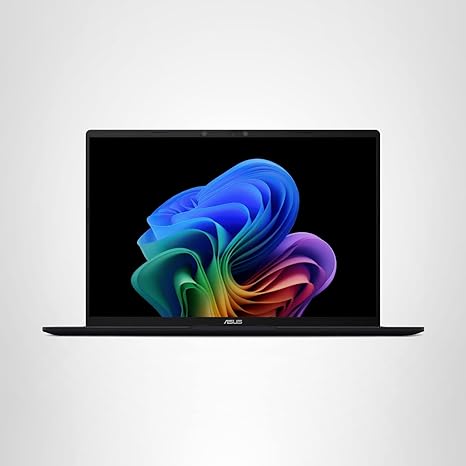
The ASUS Vivobook 16 is here to deliver a fresh take on what a mid-range laptop can offer, combining modern features with powerful hardware at an approachable price. With the Qualcomm Snapdragon X chipset at the helm, this device is designed for the next wave of productivity, content creation, and even light gaming. But how does it actually hold up in day-to-day use? Let’s break it down.
First, let’s look at the specs. The ASUS Vivobook 16 comes with a 16-inch WUXGA display that runs at a 60Hz refresh rate. This 1920 x 1200 resolution display sits at a comfortable 16:10 aspect ratio, giving you more vertical screen real estate for multitasking, which is a nice touch for productivity. At 300 nits of sustained brightness, it’s bright enough for indoor use, but don’t expect stellar performance in direct sunlight. For casual media consumption, streaming videos, or working on documents, it gets the job done.
Under the hood, the Qualcomm Snapdragon X chipset provides a solid foundation. With 8 cores and the Hexagon NPU, this processor is optimized for AI tasks, offering significant power efficiency. You won’t find the kind of raw power in gaming laptops, but it’s more than enough for office tasks, media consumption, and some light creative work. If you’re into content creation, this chip’s performance in AI-powered apps will make a difference, with features like instant language translation and content generation tools.
Accompanying the Snapdragon X is Qualcomm’s Adreno GPU, which promises a boost in graphical performance compared to previous models. For casual gaming, it can handle titles like Fortnite or older AAA games on lower settings without issue, but it’s not built for demanding, graphically intense games like Cyberpunk 2077. Still, for most non-gamers, this GPU provides smooth visuals for everyday tasks.
The laptop comes equipped with 16GB of RAM, which is more than adequate for multitasking. You can have multiple browser tabs open, work on a document, and stream a video all at once without seeing a noticeable drop in performance. The 512GB PCIe SSD is another highlight, offering fast load times for applications and quick file transfers, which is especially useful when working with large files in creative software or storing lots of media.
When it comes to real-world performance, the Vivobook 16 shines in typical productivity tasks. Web browsing, managing multiple tabs, checking emails, and using Office apps will feel seamless. Watching movies and TV shows is enjoyable on the 16-inch display, with good color reproduction for casual viewing, though it’s not the best option if you’re a stickler for high-end color accuracy like what you’d find on OLED panels.
The multitasking experience is boosted by that solid RAM capacity. If you’re editing photos or videos in something like Adobe Lightroom or even running more intensive applications, you’ll see good responsiveness. However, once you start pushing it into higher-end video editing or 3D rendering, the Snapdragon X starts to show its limits. It’s efficient, but it won’t compete with laptops that feature discrete GPUs or more powerful processors.
In terms of battery life, this laptop truly excels. With its focus on power efficiency, especially with the Snapdragon X chip, you can expect solid all-day usage for light tasks. Under typical use—web browsing, streaming, and working on documents—you’ll comfortably get through a full workday with around 8 to 10 hours of use. Of course, running more demanding applications will shorten that, but for most users, the Vivobook 16 will last longer than a traditional Intel or AMD-powered laptop in the same class. When you do need a recharge, the charging speed is reasonable, and the charger itself isn’t bulky.
Thermal performance is impressive for a laptop of this size and price range. While it does get a bit warm under load, the fan noise remains relatively quiet. It’s not the most silent laptop on the market, but it’s far from being annoying. The design keeps things cool enough for light gaming and productivity, but after hours of heavy use, you may start to notice some heat buildup, especially on the underside. This isn’t a dealbreaker, but it’s worth considering if you plan on using it for long stretches on your lap.
The build quality of the Vivobook 16 is solid but not necessarily premium. The materials are mainly plastic, but the laptop doesn’t feel cheap. It’s fairly lightweight and easy to carry, making it a good option for students or professionals who need something portable but still want a decent screen size. Weighing around 1.8kg (4 lbs), it’s not ultra-light, but it’s light enough for portability.
The keyboard and trackpad experience is a mixed bag. The keyboard is comfortable for typing, with decent key travel and feedback, but the layout could be better—there’s no dedicated number pad, which some might miss. The trackpad is responsive and accurate, but the size might feel cramped for users who prefer a larger surface for multitasking gestures. There’s also no mention of additional input features like a fingerprint reader or stylus support, so if those are important to you, this laptop may fall short.
When it comes to ports, the Vivobook 16 includes a decent selection for everyday needs. You get USB-A, USB-C, HDMI, and an SD card reader, which covers most bases for connecting to accessories and external displays. However, you won’t find Thunderbolt 4 here, which could be a dealbreaker for power users or those looking to future-proof their setup. Wi-Fi and Bluetooth performance are standard, with the laptop supporting the latest wireless standards, though don’t expect lightning-fast download speeds like you’d get with premium options.
As for long-term value, the Vivobook 16 is priced in the mid-range, making it a solid option for those who need a reliable laptop without breaking the bank. It compares well to similarly priced competitors, though it does fall short in areas like graphics performance and high-end display quality compared to pricier models. Still, for office work, media consumption, and light creative tasks, it’s a strong choice.
So, who is this laptop best for? It’s a great option for students, casual users, and office workers who want something larger than the typical 14-inch model but don’t need the raw power of a gaming laptop or a high-end creator machine. The battery life, solid multitasking, and overall user experience make it a compelling choice for these users. On the flip side, if you’re a heavy gamer or someone who needs intense creative power, you might want to look elsewhere.
That’s a wrap on the ASUS Vivobook 16. Thanks for watching! Don’t forget to check out the link in the comments if you’re interested in picking one up. And if you’ve already got one, let us know your experience with it in the comments section below. Until next time, stay tuned for more tech reviews right here on Reviews inside tv!
Available to buy here:


