

Available to buy here:
Samsung’s QBC 55-inch 4K UHD display is a standout in the world of digital signage. Ultra-slim at just 28.5mm in depth, this sleek and stylish display offers more than just a visually appealing design. With its Dynamic Crystal Color technology, it presents over one billion shades, making every image pop with a stunning level of detail and clarity. But looks aren’t everything—under the hood, this display is powered by Samsung’s Quantum Processor Lite 4K, designed to enhance content for improved clarity and consistency across the board. Whether you’re showcasing high-definition videos or images, the QBC ensures that each piece of content looks sharp and vibrant. But what truly sets this product apart is the ability to create a synced screen wall. You can set up multiple displays to work together as a unified system, expanding or duplicating content across screens with ease. This flexibility makes the QBC an ideal solution for a variety of applications, from retail displays to corporate signage.
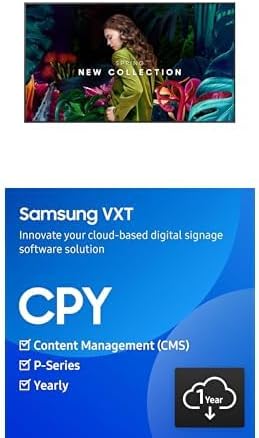
The VXT Cloud-Based Digital Signage Player and Content Management Software bundled with this model elevate the QBC’s functionality even further. Gone are the days of dealing with external media players or clunky USB sticks. Samsung’s VXT allows for effortless cloud-based content management, making setup and device provisioning a breeze. With this solution, content can be updated and deployed in real time across multiple displays without the need for physical storage devices. This means less hassle and more control when managing a large digital signage network. Additionally, the advanced content management features, such as Channel and Tag management, enable users to set up custom scenarios for specific content triggers, streamlining content distribution. This is especially useful when certain content needs to be updated without redistributing everything, making it efficient and cost-effective.
Setting up the Samsung QBC was surprisingly simple. It integrates seamlessly with the VXT Cloud, and the cloud-based interface provides an intuitive experience for users. Whether you’re creating dynamic content or triggering events based on touch or UDP signals, the system reacts quickly and accurately. Testing the display in a real-world scenario, I used it to display a promotional video loop across multiple screens. The clarity was sharp, the colors were vibrant, and the video playback was smooth across all screens, even when scaled up. One thing I really appreciated was how the content synced seamlessly across multiple displays. It’s not often you find a product that makes such a technically complex setup feel so effortless. That said, the QBC is not without its limitations. In a fast-paced retail or corporate environment, where content changes frequently, the lack of a physical media player can be a downside for users who prefer direct, manual control. But if cloud-based management is what you’re looking for, the QBC offers an incredibly streamlined solution.
When it comes to build quality, the QBC display feels premium. The ultra-slim profile is crafted from high-quality materials, and the design is both functional and stylish. It’s clear that Samsung has put a lot of thought into the durability and aesthetics of this product, making it suitable for high-traffic environments. The Quantum Processor Lite 4K does an excellent job of optimizing content, but it also means the QBC is built to handle long-term use with a high level of performance. While long-term data on the QBC’s reliability is still being collected, Samsung’s track record with its signage solutions suggests that this product will likely hold up well over time.
Customer support with Samsung’s digital signage solutions has been generally well-regarded, with the VXT platform offering responsive assistance when needed. While I didn’t personally need to reach out for support during my testing, it’s worth noting that the integration with the VXT cloud-based system reduces the likelihood of technical issues that would require customer service intervention. If you do need support, Samsung’s digital signage team has a reputation for providing timely and helpful solutions.
The VXT Cloud also means that software updates are handled seamlessly in the background, so users can rest assured that their system remains up-to-date without any manual intervention. This is a major benefit, especially for businesses that rely on digital signage to communicate effectively with their audience.
Now, when it comes to value for money, it’s clear that the Samsung QBC 55-inch display isn’t exactly a budget option. However, it does offer exceptional value if you’re looking for a premium, feature-rich digital signage solution. While there are other options on the market at a lower price, few offer the same level of ease in content management and seamless integration across multiple displays. Competing solutions might require external players, software, and additional setup time, whereas the QBC streamlines the entire process with its cloud-based capabilities. For those looking for a high-performance, scalable digital signage solution, the QBC justifies its price.
When comparing the QBC with other options, one notable competitor is the LG 55-inch UHD digital signage display. The LG model offers comparable screen quality, but it lacks the advanced cloud-based content management system that Samsung provides. The QBC’s ability to manage content over the cloud and sync displays across locations without additional hardware is a significant advantage in terms of ease and flexibility. Another alternative worth considering is the BenQ 55-inch 4K signage display, which offers a more affordable price point but doesn’t match the QBC’s powerful processor or intuitive cloud system. If budget is a concern, these options might be worth a closer look, but for those who prioritize advanced features and easy scalability, the Samsung QBC offers a more comprehensive solution.
Looking at the overall build, the QBC display feels robust and premium, built to withstand the demands of a business environment. Samsung’s commitment to design and quality shows in the product’s slim profile and sturdy construction. It’s clear that this product is designed for longevity, with the internal tech and cloud software ensuring that users get a long lifespan out of their investment. While we don’t yet have long-term data on the product’s exact durability, based on Samsung’s track record, the QBC is likely to continue performing well over time.
If you’re in the market for a high-quality, scalable digital signage solution, the Samsung QBC 55-inch 4K UHD display checks a lot of boxes. Its advanced content management, sleek design, and seamless cloud integration make it a fantastic option for businesses looking to upgrade their digital signage capabilities. While it’s not the most budget-friendly option out there, the features and performance are well worth the investment if you need a reliable, powerful solution. If you’re looking for something more affordable, there are alternatives, but they come with trade-offs in functionality and ease of use.
Thank you for watching! If you’ve enjoyed this review or if you’ve got any questions about the Samsung QBC, be sure to leave a comment below. Don’t forget to hit that like button, subscribe to Reviews Inside TV, and press the bell icon so you never miss a new review. If you’re interested in getting your hands on the Samsung QBC, the link to purchase can be found in the comments box. Until next time, this has been Reviews Inside TV—your source for the latest in tech!
Available to buy here:


