

Available to buy here:
Samsung’s QBC 43-inch 4K UHD Display is designed to push the boundaries of digital signage, combining sleek aesthetics with powerful functionality. At just 28.5mm in depth, it is one of the slimmest displays in Samsung’s UHD signage line-up, making it an ideal choice for businesses looking to save space without compromising on performance. With its Dynamic Crystal Color technology, the display brings over a billion shades to life, creating an immersive viewing experience that stands out in any environment. Powered by the Quantum Processor Lite 4K, this display enhances content with striking clarity and consistency, whether you’re using it for advertising, information sharing, or other business applications.
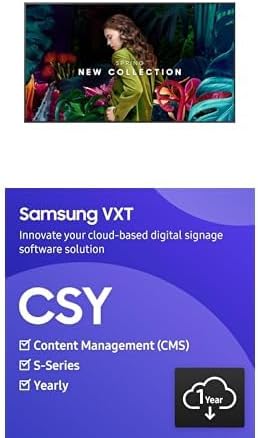
What makes the Samsung QBC even more impressive is its comprehensive content management system. The VXT S-Series is built on a cloud-based platform that eliminates the need for external media players or sticks, simplifying the setup and management of content. This means businesses can provision and manage devices instantly, without the hassle of additional hardware. With the VXT Player app available on the Google Play Store, content management is made even easier, accessible on both Android and Windows-powered devices. The software’s drag-and-drop functionality allows you to quickly create, edit, and schedule playlists, making it easier than ever to deploy and update content across multiple screens from anywhere.
In terms of screen compatibility, the QBC offers flexibility with Samsung’s VXT CMS, supporting not just its own range of displays but also other Samsung business screens. This means businesses can easily scale their signage network without worrying about compatibility issues. Plus, with access to over 170 free templates on VXT Canvas, creating visually appealing content has never been easier or more professional.
Setting up the Samsung QBC was surprisingly straightforward. The cloud-based system meant there was no need for external devices, which simplified the installation process significantly. Once set up, managing content via the VXT software was intuitive, with the drag-and-drop interface making it easy to schedule, edit, and update playlists in real-time. The display performed excellently in real-world use, delivering vibrant, clear images and videos with no noticeable lag or delay during content playback. However, while the display excels in delivering stunning visuals, it may not be the ideal solution for businesses seeking advanced interactive features, as it lacks touch capability.
When it comes to the build quality, the Samsung QBC impresses with its ultra-slim design, making it suitable for a variety of commercial spaces. The materials feel solid, and the overall construction is sleek and professional. Since this model is relatively new, long-term data on its durability isn’t widely available yet. However, given Samsung’s reputation for producing reliable, high-quality displays, there’s little reason to doubt its longevity.
As for customer support, the brand has a solid track record of providing responsive assistance, though I haven’t had to interact with their team personally for this model. Samsung is known for its comprehensive support infrastructure, so it’s reassuring to know that if any issues arise, help is likely to be available with minimal delays.
When compared to similar displays in the market, the Samsung QBC holds its ground with a few notable advantages. The inclusion of a full content management suite like the VXT S-Series gives it a significant edge over other displays that rely on external media players or more complicated software setups. The VXT Canvas also stands out, offering users the ability to create and update content easily from anywhere—a feature not commonly found in displays at this price point. However, in terms of raw price-to-performance, there are some budget-friendly alternatives that offer similar image quality, but lack the seamless integration of content management that the QBC offers.
For businesses looking to invest in a display system that’s both efficient and visually stunning, the Samsung QBC 43-inch 4K UHD Display delivers. The slim design, coupled with the high-end Quantum Processor Lite 4K, ensures that your content looks its best, whether it’s used in retail environments, corporate spaces, or other commercial settings. The inclusion of a cloud-based management system and compatibility with Samsung’s broader display range adds even more value, ensuring that this is a display system built for ease and scalability.
In terms of value for money, the Samsung QBC is definitely positioned as a premium offering. While it may be priced higher than some basic signage displays, the seamless content management system and the incredible image quality make it a strong investment for businesses that require a reliable and scalable signage solution. For companies that don’t need the advanced functionality or the premium pricing, there are more affordable alternatives, but they won’t offer the same level of integrated features or future-proofing that the Samsung QBC provides.
If you’re in the market for a professional digital signage solution, the Samsung QBC 43-inch 4K UHD Display is definitely worth considering. Its combination of stunning visuals, easy-to-use content management, and cloud-based flexibility makes it a top contender for businesses looking to make a lasting impression. If you already own or are thinking about getting this product, feel free to drop your thoughts or questions in the comments below. Thanks for watching, and until next time, stay tuned for more reviews inside your TV!
Available to buy here:


