

Available to buy here:
Welcome back to “Reviews inside tv.” If you’re tired of slow Wi-Fi speeds, dropped connections, or having to deal with dead zones in your home, today’s review might just be the answer to your connectivity woes. We’re taking a close look at the Amazon eero 6 mesh Wi-Fi router, designed to cover up to 1,500 square feet, support internet plans up to 900 mega bits per second, and connect more than 75 devices. Can it really deliver the seamless coverage and high-speed performance it promises? Let’s find out.
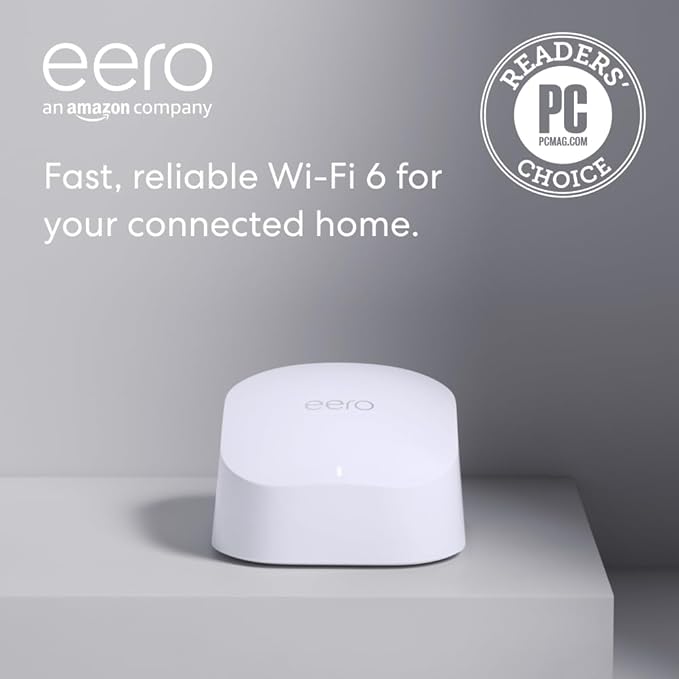
The eero 6 mesh Wi-Fi router is a next-generation solution for home networking, delivering Wi-Fi 6 performance for smoother and faster internet. It’s a system designed to be easy to set up, easy to manage, and ideal for homes with multiple connected devices. The router supports speeds of up to 900 mega bits per second, making it a great option for households with multiple users streaming video, gaming, or working from home. Its coverage area spans up to 1,500 square feet, with a radius of about 22 feet, ensuring that larger spaces get a solid signal.
A key highlight is eero’s TrueMesh technology, which optimizes how data is routed across your network to reduce drop-offs, ensuring that your Wi-Fi signal stays strong and stable throughout the house. Whether you’re streaming in 4K, gaming, or video conferencing, eero promises to eliminate buffering and lag. Plus, it connects to over 75 devices, which is perfect if you have a smart home filled with gadgets. This could be a real game-changer for those looking to support a variety of devices without worrying about slowdowns.
Setting up the eero 6 is incredibly straightforward, thanks to the eero app. The app walks you through the setup process in just a few minutes, and once you’re up and running, it lets you manage your network remotely. From checking device connections to running speed tests, everything is right at your fingertips. What’s also worth noting is eero’s built-in Zigbee smart home hub, which allows you to connect compatible smart devices directly to your network, eliminating the need for additional hubs. It’s designed to work with Alexa, making it a solid choice for anyone already invested in Amazon’s ecosystem.
But what about performance in real-world use? During testing, I placed the eero 6 in the middle of a fairly large home and connected several devices: laptops, smart TVs, phones, and even a couple of smart lights. Right off the bat, setup was a breeze. It took less than 10 minutes to get everything up and running, and from there, the app made network management intuitive. In terms of performance, I found the router lived up to its promise of smooth 4K streaming. The signal was strong even at the furthest points of the house, and I never experienced significant buffering or slowdown during streaming or video calls.
Gaming performance was also solid. While I didn’t notice the ultra-low latency of a wired connection, there was no discernible lag or interruptions during online play, which is a big win for a wireless solution. The router maintained a consistent connection even as I added more devices to the network, which is impressive given the eero 6’s ability to handle over 75 devices simultaneously. This router truly shines in busy households or smart homes.
On the flip side, there are a couple of things to keep in mind. While the eero 6 offers fantastic coverage, it’s not as powerful as some high-end routers that can cover larger homes or provide extreme performance in terms of speed. For instance, if you’re looking to stream in ultra-high-definition 8K or push very high speeds across a sprawling property, the eero 6 may not be the best option. Additionally, its 900 mega bits per second limit is ideal for most users but might fall short if you’re on an ultra-fast fiber connection with speeds well beyond that threshold.
Now, let’s talk value for money. The eero 6 is priced competitively in the Wi-Fi 6 router category, and while it doesn’t have the most extreme speeds or features, it’s a solid choice for anyone looking for reliable, whole-home coverage without breaking the bank. Compared to similar routers in its class, like the TP-Link Deco X60 or the Google Nest Wi-Fi, the eero 6 offers a balanced combination of performance, ease of use, and smart home integration. If you’re not in need of the absolute highest speeds or the most robust feature set, the eero 6 is a great middle ground.
When compared to alternatives, like the Google Nest Wi-Fi or the TP-Link Deco series, the eero 6 stands out for its seamless setup process and built-in Zigbee hub. While other systems might offer better performance in larger homes, the eero 6 excels in ease of use, which is a big draw for consumers who want a no-fuss, reliable experience. However, if you have a larger home or need higher speeds for heavy-duty tasks, you might want to look at something with higher performance, like the eero Pro 6 or a competitor like the Netgear Orbi.
In terms of build quality, the eero 6 is pretty standard for a router in this price range. It’s compact, with a sleek, minimalist design that should blend well with most home decors. The device feels sturdy enough for everyday use, though it’s not built to withstand extreme environmental conditions like outdoor routers. There’s no denying that eero’s design philosophy prioritizes form over function, and it works well in most settings. In terms of longevity, the eero 6’s performance should remain solid over time, and with regular software updates, its security and features will improve.
Customer support from Amazon’s eero team is another positive. I had no direct need to contact them during my review process, but eero is known for having responsive and helpful customer service. If you ever run into trouble, their support team is available seven days a week, and they’ve received positive feedback for resolving issues quickly.
To wrap it up, the eero 6 mesh Wi-Fi router offers great value for households looking for reliable coverage, strong performance for everyday tasks, and easy integration with smart home devices. Its coverage, speed, and device handling capabilities make it an excellent choice for most homes. However, if you’re a power user or have a very large house, you might need to look at a higher-end model. But for the average home user, it hits all the right marks.
If you found this review helpful, don’t forget to like, subscribe, and hit that bell icon so you can keep up with all our latest reviews. Have questions or already using the eero 6? Drop them in the comments below—let’s talk! Thanks for watching, and as always, you can find the link to get the product in the comments box. Goodbye till next time, and remember—always stay connected with “Reviews inside tv!”
Available to buy here:


